First the deliverable — a product page built entirely from one flat-lay. Then the application that produced it, screen by screen, captured by a browser driving the running product against the live database. Which is why the production table has other clients' work in it.
We generate the model, the product on the model, the set, the movement and the material. We do not preserve marks. An embroidered logo, a zip pull or a woven label degrades under generation — it is redrawn, not carried across. A garment whose identity sits in its mark is not a candidate today.
What you get
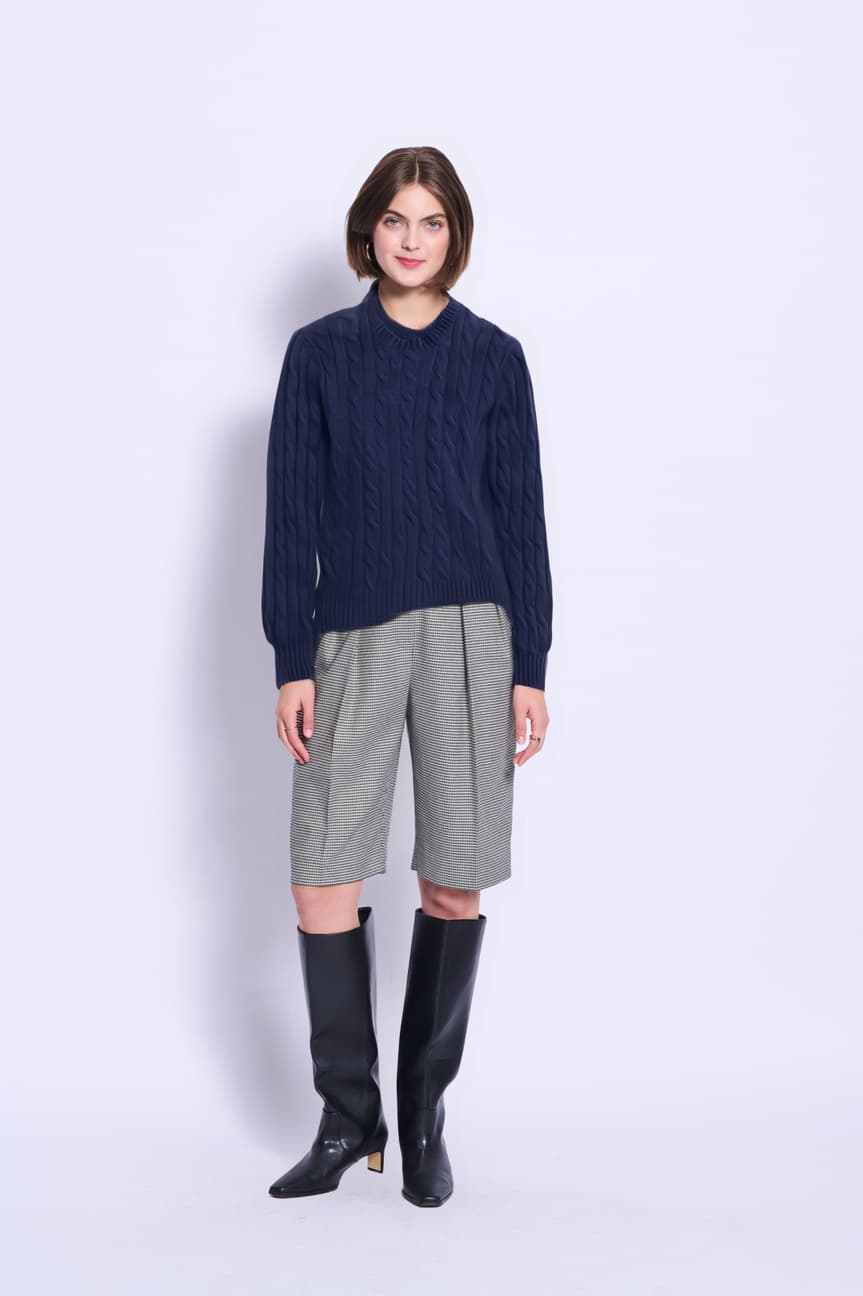
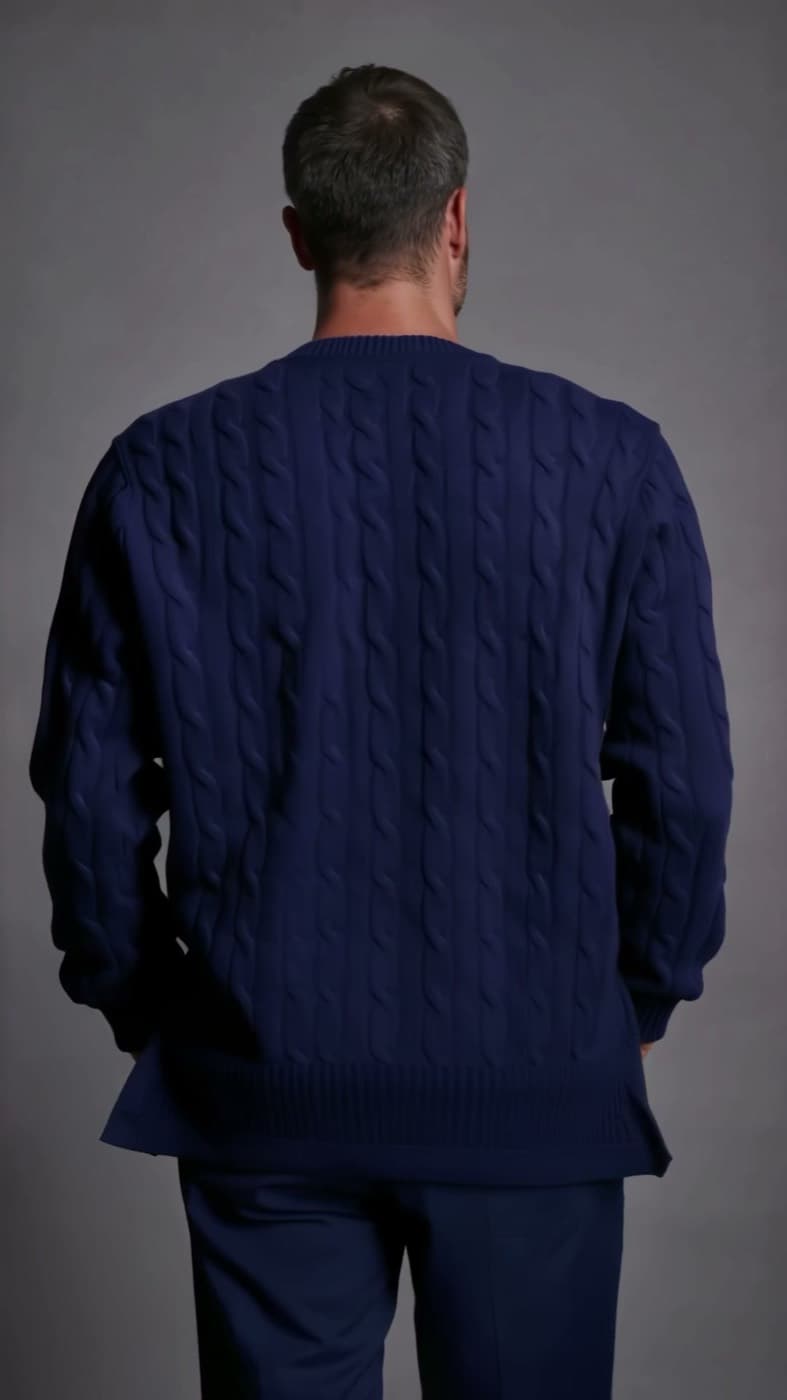
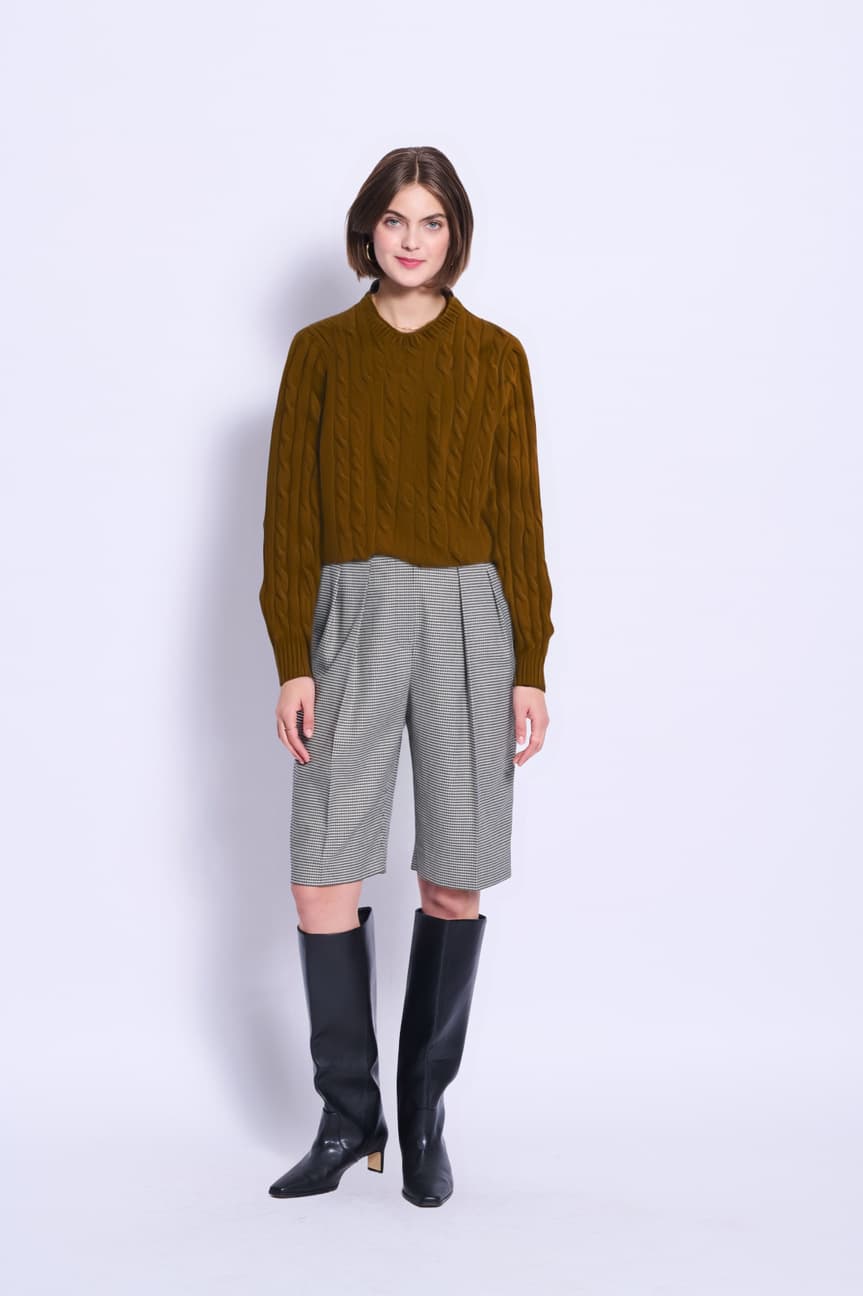
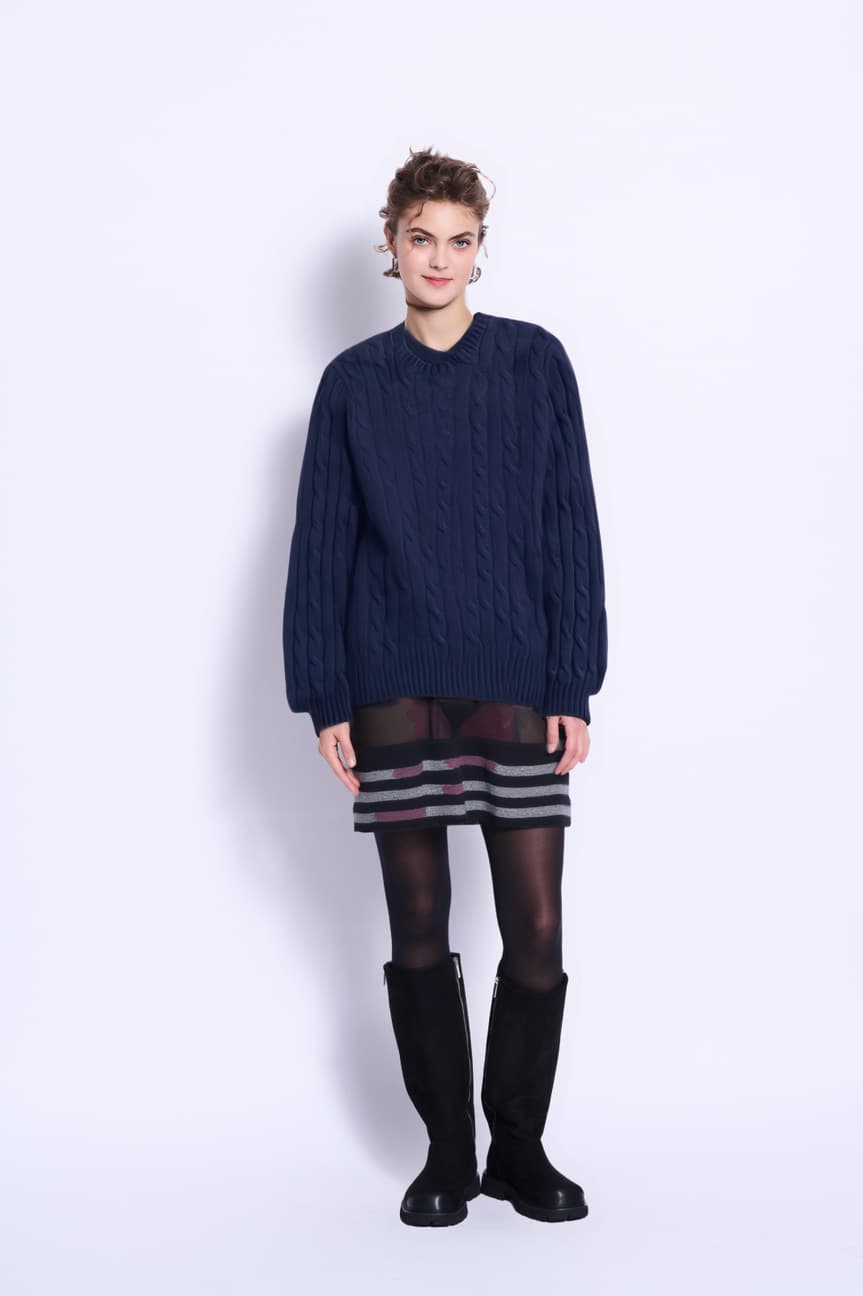
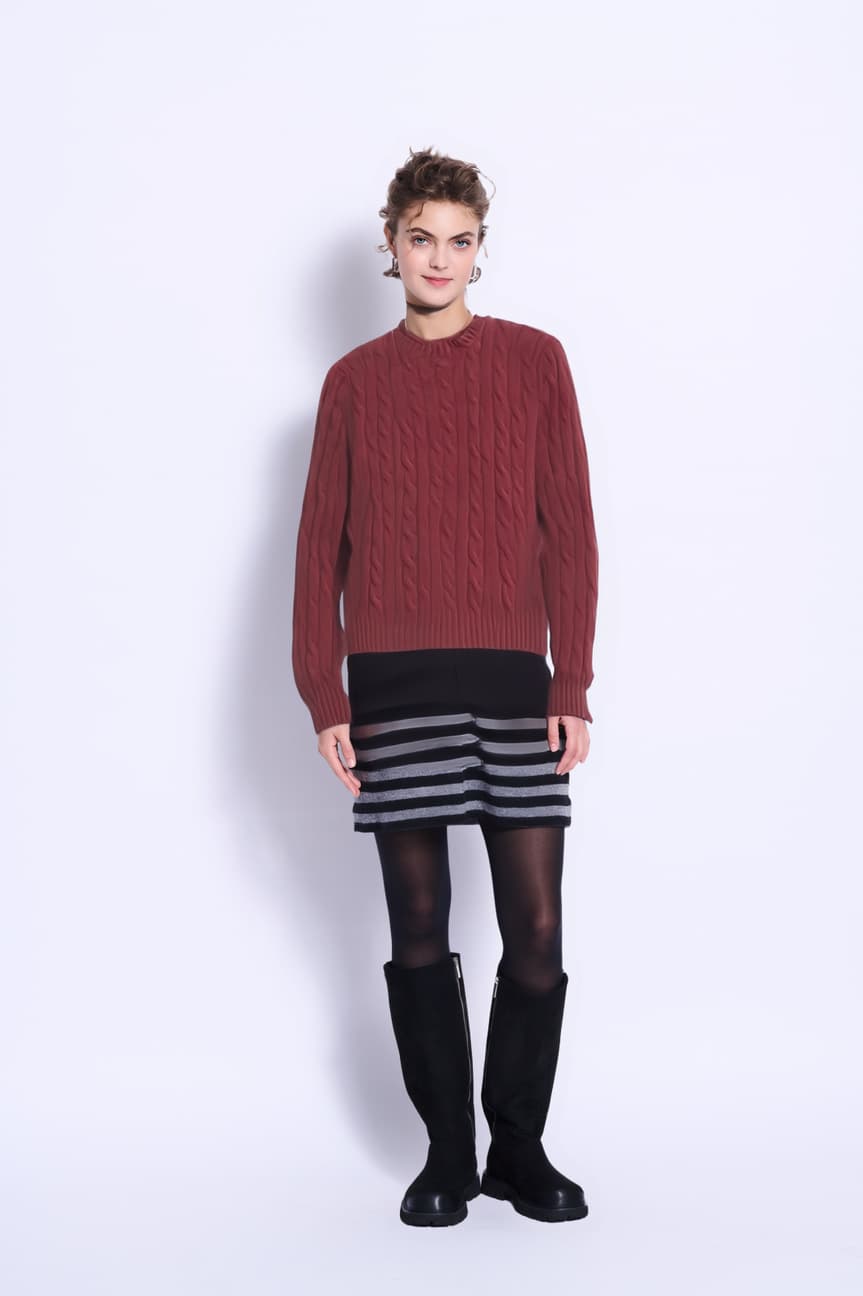
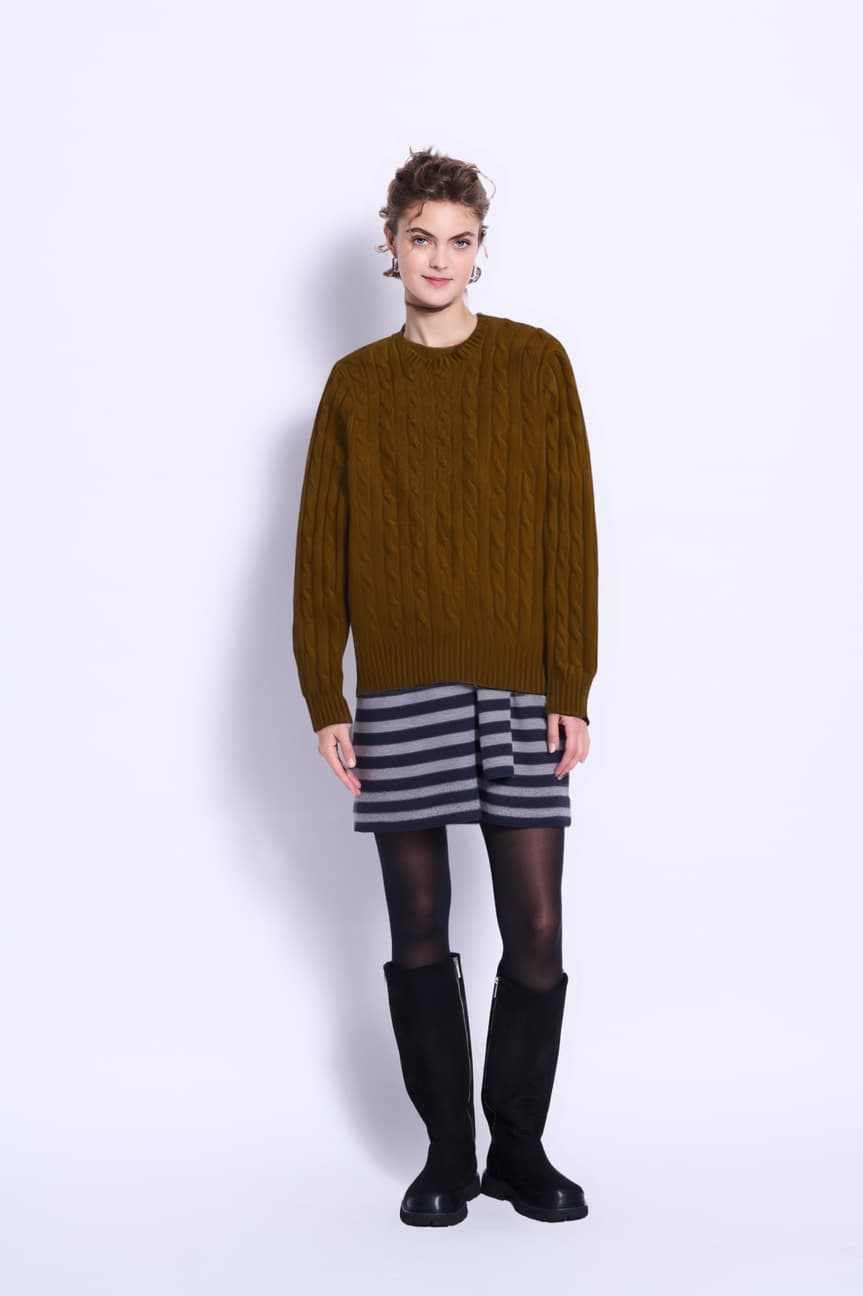
A finished product page. Four model views, a macro, a second expression, a rotation and three colourways — all of it from the single flat-lay in the swatch rail, on either model. Nothing was re-shot and nothing was re-cast. The four views hold only because the prompt names the garment length; asked only to rotate, the engine lengthened this sweater into a coat, and for a while this page shipped two views and said it had no back. The page below still tells you what that costs.
Your brand
Cable-knit crew neck
€ 189,00
Model — Andrew
A demonstration plate. We hold no talent record for this face — which is why no model seat exists for it, and why the database would refuse to create one.
Colour — Navy
the input
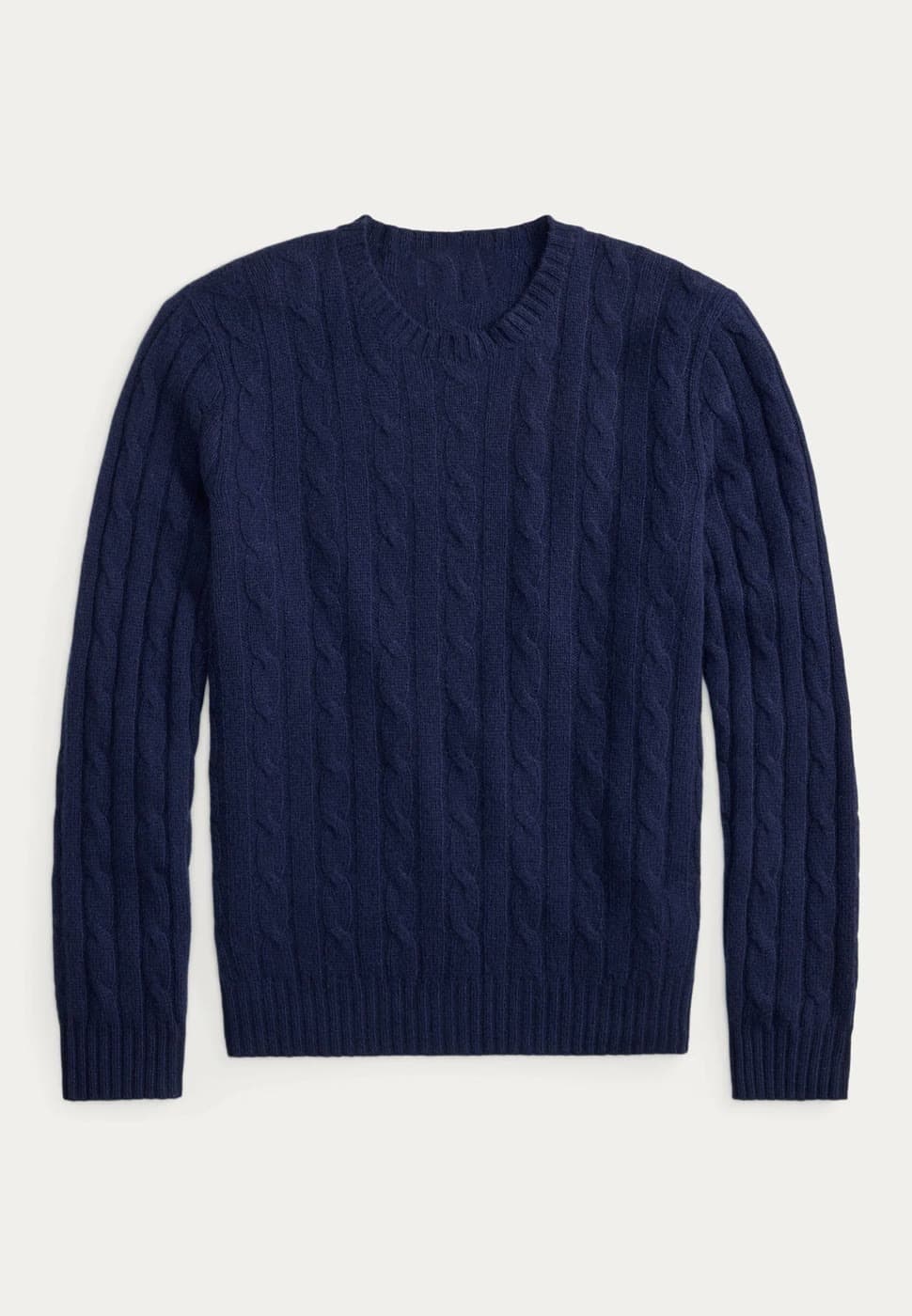
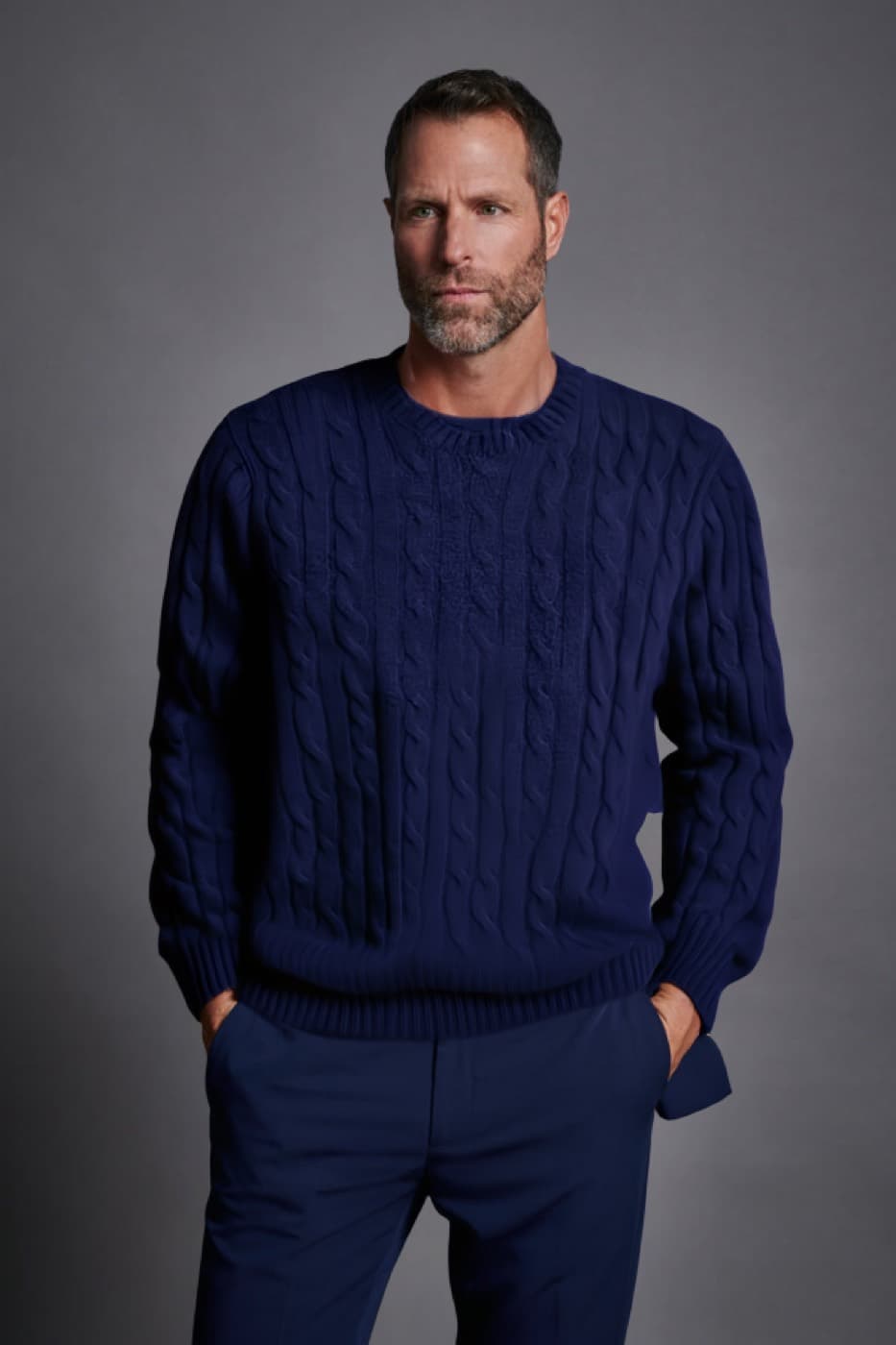
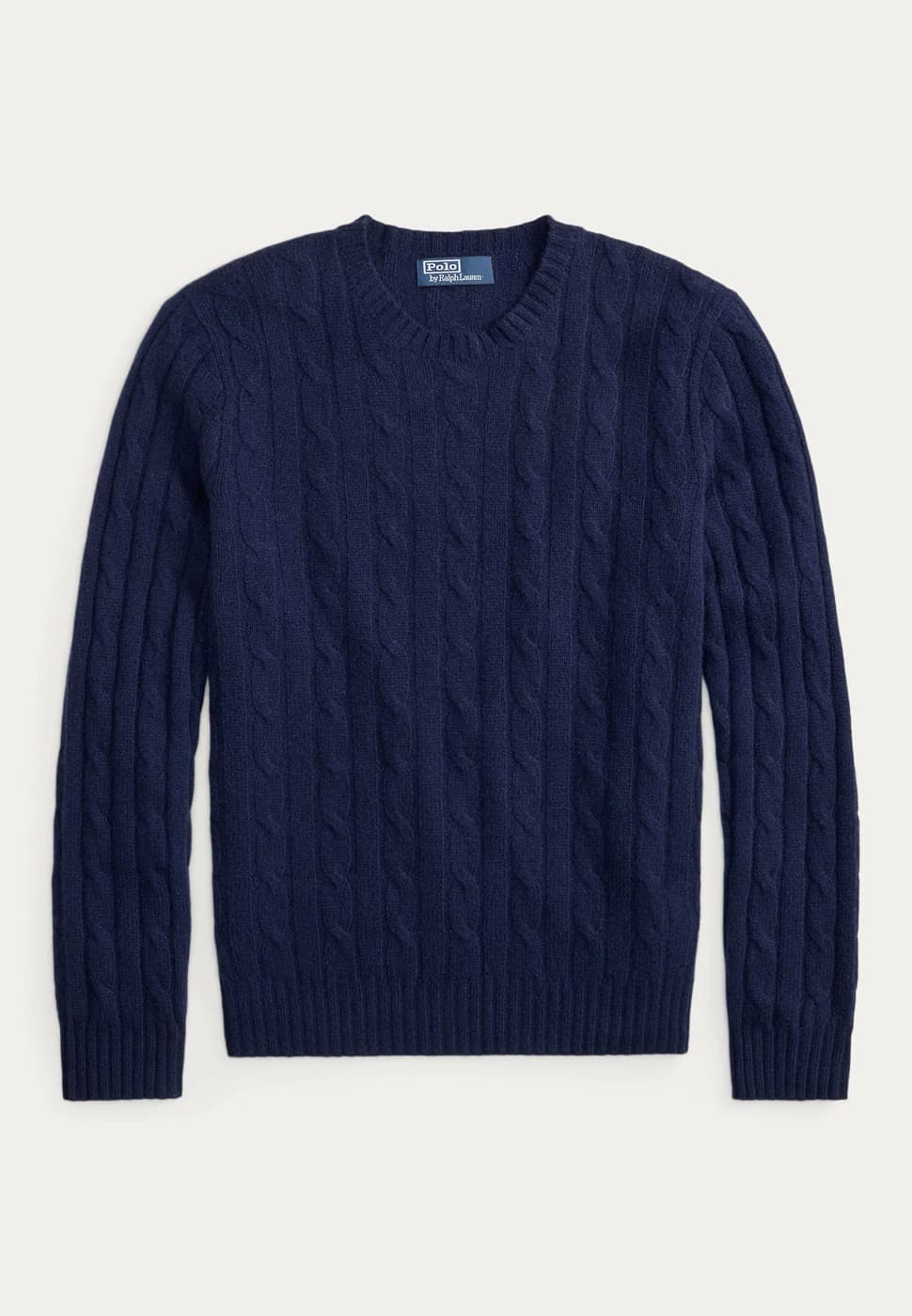
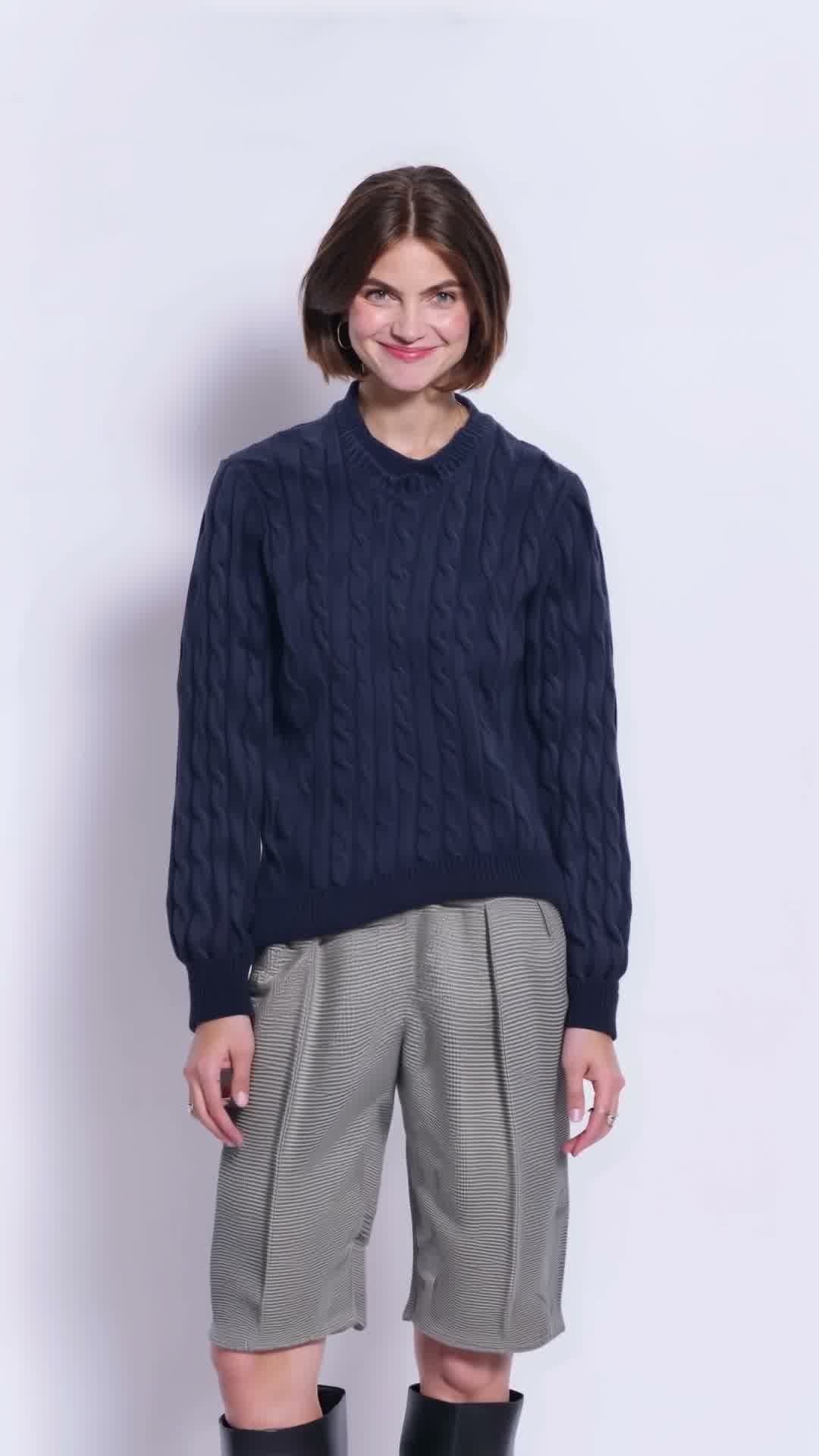
The flat-lay dressed. The three-quarter, side and back are frames of rotations generated from this exact frame, which is why they agree with it in a way separate generations would not. The macro was pulled: at that range the cable columns fray and stop repeating, so it showed knit-like texture rather than this knit.
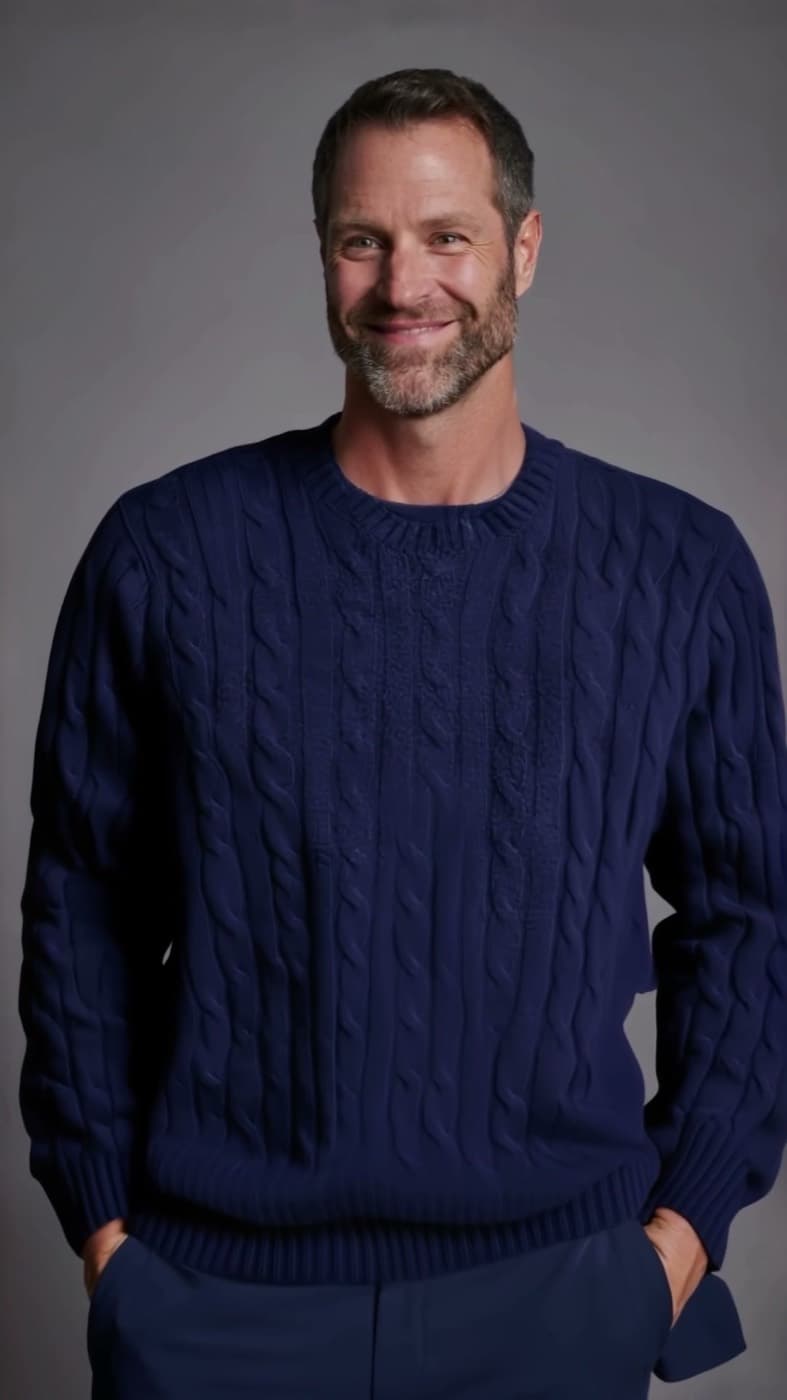
The front here is the same plate as the burgundy and the camel, so the comparison below is between the images on this page and not between two different runs. The smiling frame is the exception — it comes from a second clip and is a re-generation of this look, not a preserved copy of it.
Size
XSSMLXL
Add to bag
A sample page, built only from assets this workflow produced. The buttons are not wired — the point is the imagery.
Not cast talent — both faces here are demonstration plates, and neither has a talent record. The seat table is emptier than that sounds: production_seats exists with its constraints enforced — one seat per role, a credit line required, a pinned engine version, splits that must total 10,000 — and nothing in the product writes to it yet. The gate is real and has never been asked a question in anger. You are seeing the pipeline, not a cleared campaign.
The crops are not matched — all four views are frames of one rotation, which is why they agree with each other. It also means the camera drifts in as he turns, so the back is a tighter frame than the front. A real product page needs a crop pass over them. Worth knowing how we got here: asked only to rotate, the engine lengthened the sweater into a coat by 3.4s and this page shipped two views and said so. Naming the hem in the prompt is what holds it.
And the rest of the grid
The same garment on a second model, in a second expression, and as the product itself. A category page needs all of these, and each one is another sitting a brand does not have to book. Every tile is this garment — we would rather drop a tile than fill it with a different sweater.
The plate, dressed
Another expression
The back, same rotation
The product alone
The workflows, by category
A house is not one business. The path from a photograph to a page differs by division — wines and spirits, fashion and leather goods, perfumes and cosmetics, watches and jewelry, the selective-retail floor that lists thousands of products it never photographed, and the media, hospitality and property held alongside them. Each module below is a step the platform runs: what it does, what runs it, what it costs — and where it breaks, which is the part that decides whether the rest is worth believing.
The hard problem is the person: try-on engines quietly reshape the body they were given.
475 credits per stylerun end to end
01
The garment you already have
The brand's own ghost or flat-lay shot goes in. Nothing is re-photographed.
Engine
nothing is generated
Cost
free
Where it breaks — A ghost shot is enough, and a garment crumpled flat on a table is not — the drape has to be readable. HARDWARE AND MARKS ARE THE REAL FILTER: knit, drape, colour and length carry across, but a zip, a button or an embroidered logo does not — it is redrawn as an approximation. Compositing the real mark back over the render would fix it and is NOT BUILT, so today a style carrying a mark is not a candidate.
The input — the brand's product shot
02
The model, cast once
A model plate, or the brand's own session. Made once and reused all season, so the face on the site is always the same face. Casting a real person fills a model seat, and that seat cannot be filled without a talent record.
Engine
nothing is generated
Cost
free
Where it breaks — A prompted model has no original to be measured against, so the build guarantee at step 04 does not apply to one.
No output to show for this step — it is a check, or a path not yet run.
03
Dress the model
The garment travels onto the model. Pose, face and scene hold; only the clothing changes.
Engine
fashn/tryon v1.6
Cost
65 credits
Where it breaks — The fallback engine reshapes the body — 19% and 27% narrower in the shoulders on two measured runs. fashn holds build to about 1%, which is why it is the default and why step 04 exists at all.
The hero — publishable as the category tile
04
Check the model was not reshaped
Silhouette width is measured at shoulders, chest and waist against the original. The client cast that body; a guarantee that depends on the engine behaving is not a guarantee.
Engine
nothing is generated
Cost
free
Where it breaks — Tolerance 6%. An unmeasurable frame — busy background, cropped body — reports as unmeasurable, never as a pass.
No output to show for this step — it is a check, or a path not yet run.
05
Every colour you sell
The knit structure, the folds and the shadows are already in the photograph's luminance. Only the chroma changes, so the colourway is exact rather than re-imagined.
Engine
in-frame recolour (CIELAB)
Cost
20 credits
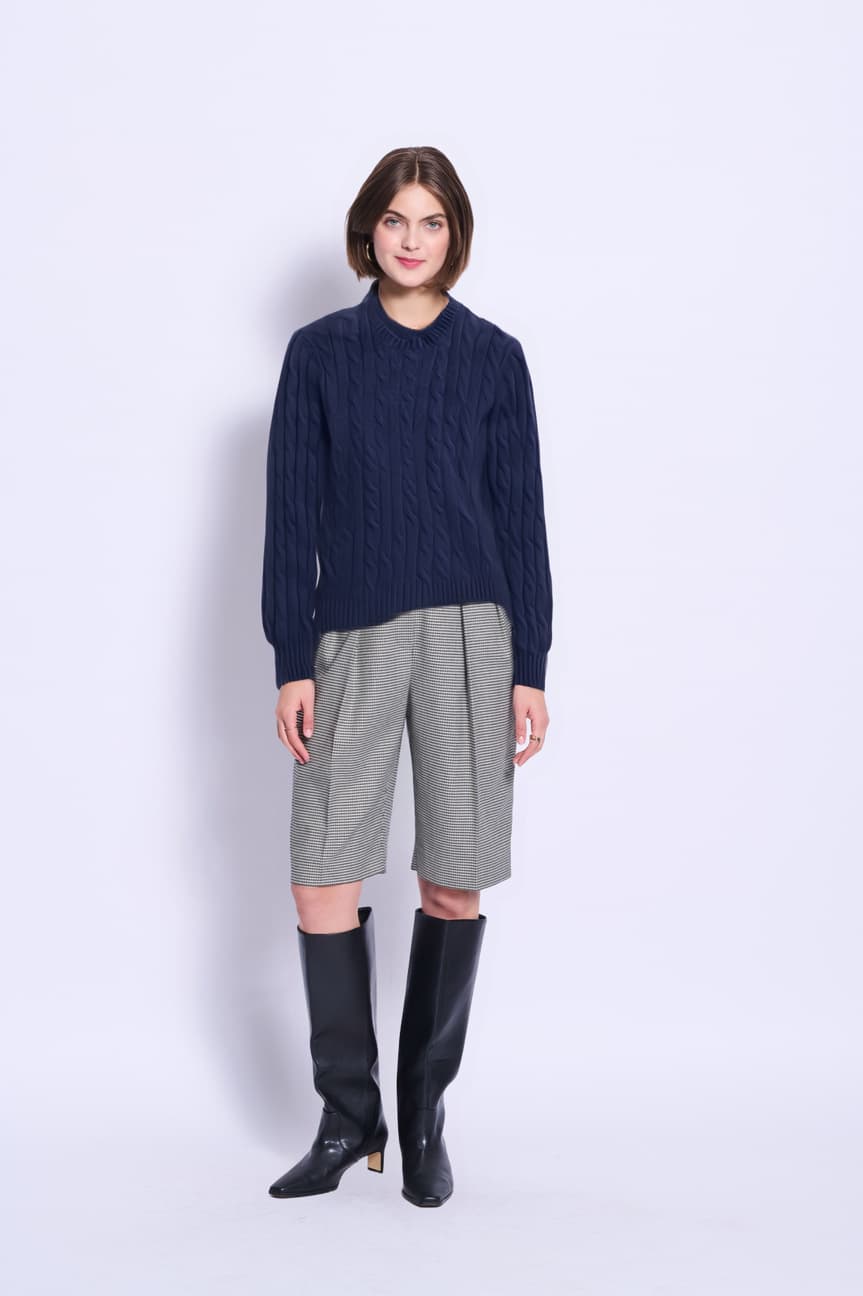
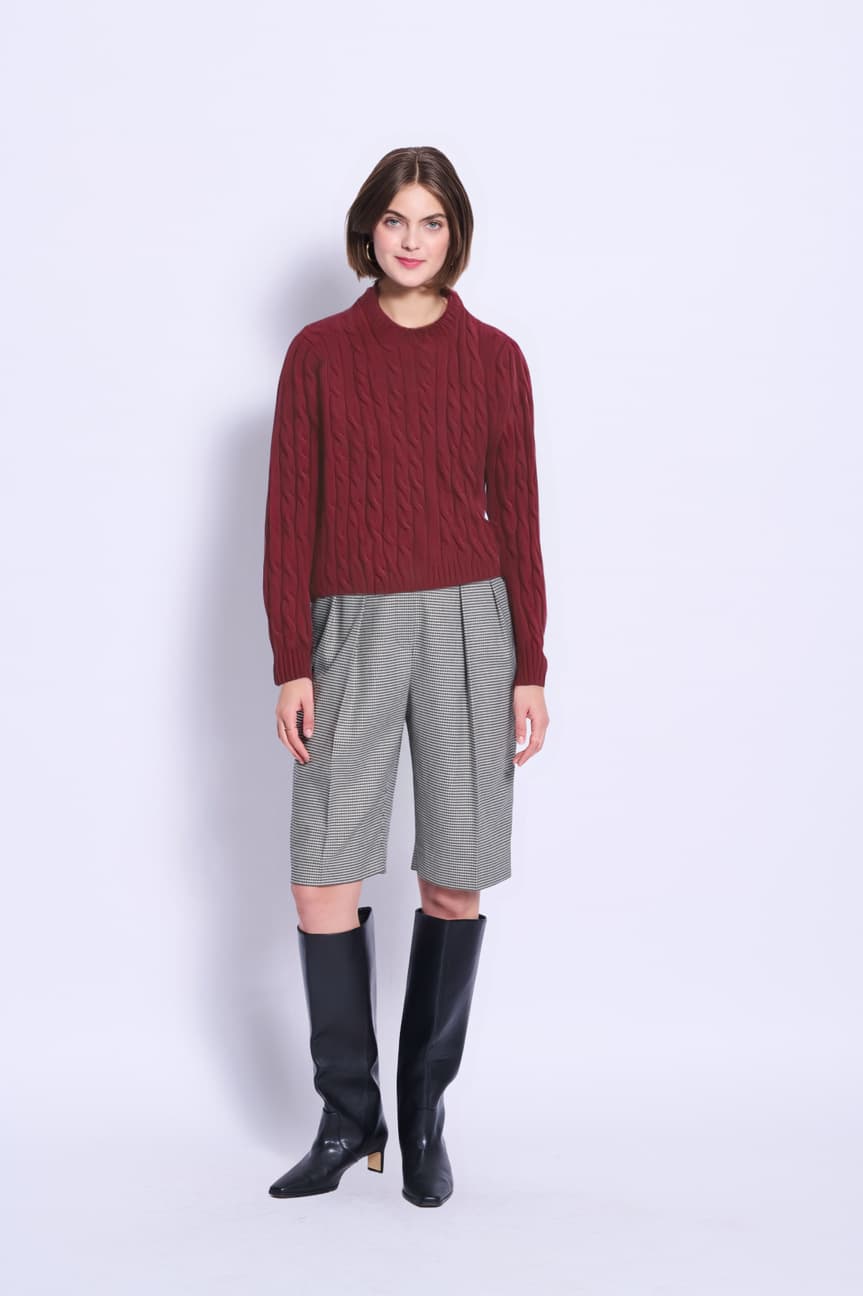
Where it breaks — Asked to recolour on a model, the generative editor redrew the person: −19.5% shoulders, +39.8% waist. The in-frame recolour now runs in the product itself and leaves the output identical to the input outside the garment matte — asserted against real pixels in the test suite, not promised. It recolours; it cannot restyle, so a sleeve length or a pattern still goes to the editor. RECOLOUR THE FLAT-LAY, NOT THE MODEL: on a model wearing navy trousers under a navy sweater the two share a hue band and the matte cannot separate them, so the whole outfit changes. On a plain ground the garment is separable and the change outside it measures 0.00000. Dressed through the transfer engine, the three colourways hold 82.6–83.2% of the frame byte-identical across every pair. Outside the garment, 99.9% of the pixels that do differ differ by 8 levels or less — JPEG noise, not redrawing — while inside it 16% move by more than that, which is the colour changing. The collar and the cable geometry are pixel-stable across all three. Run again on a second body the same three colourways hold 81.4–81.8% byte-identical, so the garment survives the change of person as well as the change of colour — six frames from one garment file, and the fit adapts to each build rather than the garment being redrawn to suit it.
Navy — the flat-lay dressed
Burgundy — the flat-lay recoloured, then dressed
Camel — same route, same plate
Second body, navy — the collar the engine used to redraw
Second body, burgundy — same garment file
Second body, camel — six frames, one garment
06
Front, three-quarter, side and back from one take
One rotation yields the whole product set. The four views agree with each other because they are frames of one sequence, not four separate generations.
Engine
LTX 2.5 pro
Cost
140 credits
Where it breaks — THE PROMPT HAS TO ANCHOR THE HEM, AND WE LEARNED THAT THE HARD WAY. Asked only to rotate, the model lengthened the sweater as it turned — drifting by 1.84s and reading as a coat by 3.4s, so the first version of this step shipped two views and admitted it had no back. Naming the garment length in the prompt — ribbed hem at the hip, does not lengthen, does not become a coat — holds it through the full turn. A rotation is safe; a pose change is not, and still causes identity drift. Regenerated 2026-09-11 from a transfer still rather than a generated one, with the camera named as static in the prompt: the four views are now a matched-crop set and need no crop pass. The earlier version drifted in as the model turned, which is what that cost.
The take — the whole rotation, hem anchored
The back view — a timestamp, not a second render
07
The same look, three expressions
A category page needs the same garment more than once — neutral for the grid, warm for the hero, open for the campaign. A second short clip off the same dressed plate yields all three, and the model never sat again.
Engine
LTX 2.5 pro
Cost
140 credits
Where it breaks — THIS ONE IS NOT A PIXEL LOCK, AND THE COLOURWAYS ARE. The video model regenerates every pixel. Re-measured 2026-09-11 on a clip animated from a transfer still: the first frame already differs from the plate by 25.1% across the garment — better than the 32.8% the generated plate gave — but by the open smile the lower body differs by 87.7%, worse than before, because this clip pushes in harder. Both numbers say the same thing and the improvement does not soften it: expressions are a re-generation of the same look, not a preserved photograph. Recognisably the same person and the same knit — measured as identical, no. The colourways are a pixel lock; this is not, and the difference is worth saying out loud rather than letting someone find it.
Warm — mid-clip
Open — the camera has drifted in by hereThe clip both came from — 2.28s
08
The macro
A slow push onto the closure. The clip's last frame is the macro still, so the still costs nothing beyond the clip.
Engine
LTX 2.5 pro
Cost
110 credits
Where it breaks — IT IS THE SOURCE THAT DECIDES THIS, NOT THE RANGE. Pushed in on a generated plate the cable columns frayed and stopped repeating, and the still read as knit-like texture rather than as this knit — which is what this note used to say, flatly, as a limit of the macro. Re-run 2026-09-11 from a transfer still instead, the braids come back regular, continuous and correctly formed at the same range. So the macro survives when the frame underneath it is a transfer and does not when it is a generation. An embroidered logo is still a smudge either way: hardware and applied marks do not transfer, and that limit has not moved.
The push
09
The film
Hero, movement, detail, variant, product — a shot list played in order. Nothing is re-encoded, so cutting and re-cutting is free.
Engine
nothing is generated
Cost
free
Where it breaks — Engine clip length varies — 4.2s, 3.56s and 3.88s across three runs for the same requested 5s — so shots are trimmed to the clip's real duration rather than the requested one.
10.6s — hero, the take, the push, two colourways, the product. Every frame is an asset from the steps above.
What a brand does
The same journey inside the application, screen by screen — from the offer to a signed-off delivery with its receipt.
Client journey
01 / 07
Captured in Chromium against the live product — not a mock-up.
01
The offer
A brand arrives with the product photography it already owns and no studio day booked.
The page shows the real output of the workflow below it — one navy cable crew, dressed, turned, filmed and recoloured. Where the rotation stops holding, the page says so.
What the platform states
The operator's side of the same thing: the categories above as the team sees them, and underneath, per shoot, which steps are genuinely complete — read from the artefacts rather than a status field.
Back end
01 / 06
Captured in Chromium against the live product — not a mock-up.
08
The workflow, stated
Nine steps for fashion, each with what it costs, what runs it, and where it breaks — 475 credits for a style, stated by the platform rather than by us.
The rule at the top is the commercial spine: we generate the model, the product on the model, the set, the movement and the material — and we do not preserve marks. An embroidered logo comes back redrawn, so a garment whose identity sits in its mark is not a candidate today.
Why a house would choose this
Image generation is becoming a commodity. What a maison is buying is not the picture — it is everything around the picture: whose likeness it is, whether the mark is authentic, where the design file went, and what happens when the answer is no.
The mark is never invented
We generate the model, the product on the model, the drape, the movement and the material. The logo, the hallmark and the label stay photographs. It is a limit before it is a policy — a small embroidered logo becomes a smudge at macro, so we frame it out and use yours. A brand manager can zoom in.
The face belongs to someone
Casting states its rights position before anything renders: a prompted model, a consent-verified model with a royalty, or your own session re-dressed. A unit whose talent licence has lapsed does not render — the request is refused with a 403 by the generation routes themselves, not by a policy document.
Your designs do not leave your instance
Every maison runs its own studio, and the boundary is enforced at the database rather than in the interface. Asking one studio's account about another studio's production returns not found — not a redacted record, not a permission error. An unreleased piece is visible to the house that shot it and to nobody else.
We publish where it breaks
Every step above carries its own failure, measured: the try-on engine that narrows shoulders by 19%, the set build that redraws a bottle two times in three, the ring that will not sit on a finger. Watches and jewellery is marked not yet run for that reason. A supplier who only shows you the good frame is a supplier you will discover the limits of later.
The restraint is the product. Anyone can show you a beautiful frame; the question a house has to answer is what happens on the frame that goes wrong, and who is liable when it does.
Send us your pattern file
A garment starts as a pattern, not a photograph. Drop an AAMA DXF — the export a factory already receives, alongside its Gerber and Lectra siblings — and it opens here: the pieces, their geometry, and the cut area. It is read in your browser and never uploaded.
Drop an AAMA DXF pattern file
Read in your browser. Nothing is uploaded, nothing is stored, nothing leaves this laptop.
Or bring a mood board
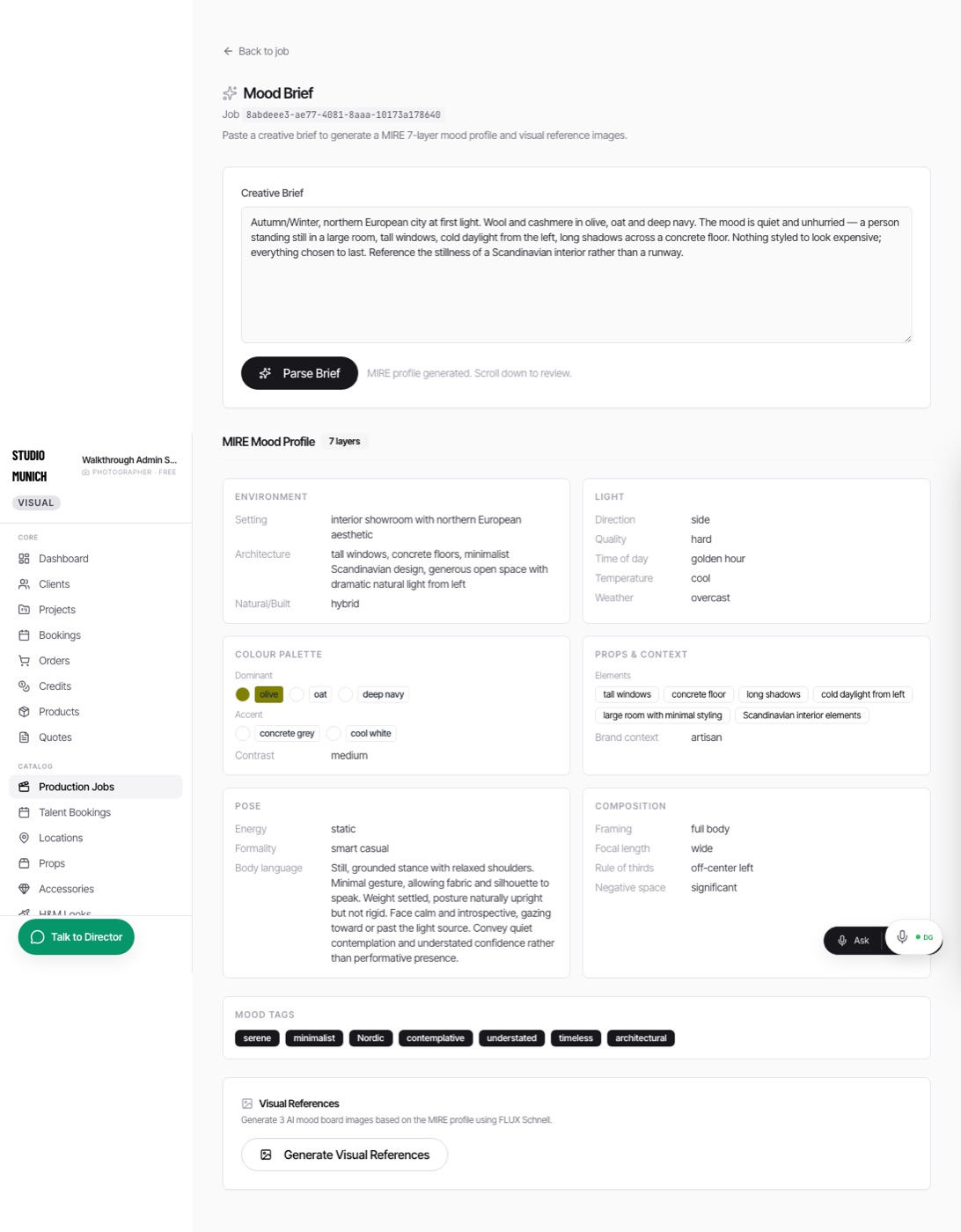
Everything above is the e-commerce lane: a product photograph in, a page out, self-serve. The hybrid lane is the other half of what is sold. You describe the shoot — or upload the brief and the reference frames you already have — and the system reads it into a structured profile it can hold constant across every frame that follows: the room, the light, the palette, the props, the model's position and posture, the framing.
That profile is what makes a set repeatable. Once the mood is fixed, the same look can be replayed on another garment, another colourway, another model — or the location can be swapped underneath it without the styling drifting.
A real brief, parsed live: “Autumn/Winter, northern European city at first light… a person standing still in a large room, tall windows, cold daylight from the left…” — read into seven layers, including the pose layer that fixes energy, formality and body language. Nothing here was typed by hand.
Lane one
E-commerce
Self-serve, priced per style. Your product photography goes in and a complete product page comes out — views, macro, colourways, film. You run it yourself, in your own branded instance.
Lane two
Hybrid production
A booked production. Your mood board and your references set the profile; the location is built or swapped; the model's position is directed rather than accepted. The same rails underneath, with a team on it.
The architecture of provenance
Generation is becoming a commodity. What a house is buying is everything around the picture — whose likeness it is, whether the mark is authentic, where the design file went, and what happens when the answer is no. Each claim below carries its own scope, including the two that are not finished.
Verified on the live system
Your designs stay in your instance
Every house runs its own studio. An unreleased piece is visible to the studio that shot it and to nobody else, and the boundary is enforced at the database rather than in the interface.
Demonstrable in seconds: an administrator asking their own account about another studio's production is told the job does not exist — not a redacted record, not a permission error. This walkthrough hit that refusal itself while being built, and had to be given a production of its own.
Real, with a stated limit
An enrolled model with no active licence does not render
Consent is checked before generation, not after. A unit whose talent licence has lapsed is refused, and the refusal comes from the generation routes themselves.
Eight routes call the gate before any engine runs, and for an ENROLLED model it is strict: ownership, status, expiry, usage cap, territory, revocation and licence class, refused with HTTP 402 and an atomic usage receipt when it passes. The limit is the word enrolled. A model outside the rights programme passes straight through — the gate fails OPEN by design, so that legacy work does not stop, and an infrastructure failure in the lookup fails open too rather than blocking generation. A VoiceIDVault consent check runs in the same path and is configured in production — /api/health reports it — but it degrades silently wherever its two environment variables are absent, which is a thing worth knowing about any environment you are shown.
Real, with a stated limit
The trademark is never invented
We generate the model, the product on the model, the drape, the movement and the material. The logo, the hallmark and the label stay photographs.
Editorially absolute, and it began as a measured limit rather than a policy: an embroidered logo becomes a smudge at macro, so the close-up is framed to exclude it and the logo shot is the brand's own file. There is also a hard block on garment-targeted edits when a look is locked — that one currently covers the voice lane, not every route.
Verified on the live system
A carbon figure anyone can recompute
Every delivery carries a sustainability certificate with a public verification URL, and the arithmetic is published rather than asserted.
Live today: a twelve-garment style is roughly 18,000 g CO₂e as a physical shoot against 0.14 g through the pipeline. The certificate is HASH-verified, not cryptographically signed: a SHA-256 over a canonical block, which proves the file has not changed rather than who made it. We are not inviting you to recompute it yet — the algorithm is covered by tests, and the one certificate issued to date was hashed by an earlier build and does not reproduce. We would rather say that than have you find it. The underlying per-garment constant is a stated assumption and we will show you its basis.
Built, not yet connected
Rights travel inside the file
Delivered assets carry an XMP sidecar with the consent token, the talent identifier, the licence scope and the royalty event — readable by any DAM.
The sidecar is real and standards-correct, and it currently ships on the DAM export path rather than the plain download. Fields populate from consent records, so a pilot's first job is enrolling the talent that will fill them.
Built, not yet connected
The right to be forgotten, as a cascade
On request, a brand's productions, units, castings, deliveries, media, props and locations are deleted, and an immutable purge receipt is written.
The database cascade is implemented with a dry-run mode that previews the scope first. The vector-store half is written but inert until the index is provisioned — we would rather say that than let you assume a deletion happened that did not.
The power of an enterprise pipeline is not what it creates. It is what it refuses to create, and whether it tells you when it refused.
The walk is a test, so it fails
These screens are captured by an automated run that asserts as it goes: a screenshot of a broken page fails the build instead of being quietly filed. The first time it ran, it caught four things —
01The workflow page rendered white text on a white shell — every heading invisible. It had been styled for a dark admin.
02Step numbers jumped 06 → 08 in the seven-step categories, because the shared final step carried a hardcoded number.
03The consent banner intercepted the first click on every page and covered the controls beneath it.
04A seeded garment pointed at an asset that only exists on an unmerged branch, so the shoot screen showed a broken image.
All four are fixed in the screens above. We keep the list because a catalogue partner is buying a process, and a process that never reports a failure is one that is not looking.
Walk it yourself.
A pilot starts with these exact screens — your garments, your model, your first delivery with its verifiable certificate.